Meshvirt Connect
Install it, sign in with your Meshvirt account, and the device joins Meshvirt Networking.
Synology NAS (DSM 7)
- Open Package Center and click Manual Install.
- Choose the
.spkyou downloaded, accept the third-party package notice, then click Next. - Leave the server as
https://mesh.meshvirt.ioand finish the wizard. Keep Run after installation checked. - Open Meshvirt Networking from the DSM main menu and click Sign in with Meshvirt SSO.
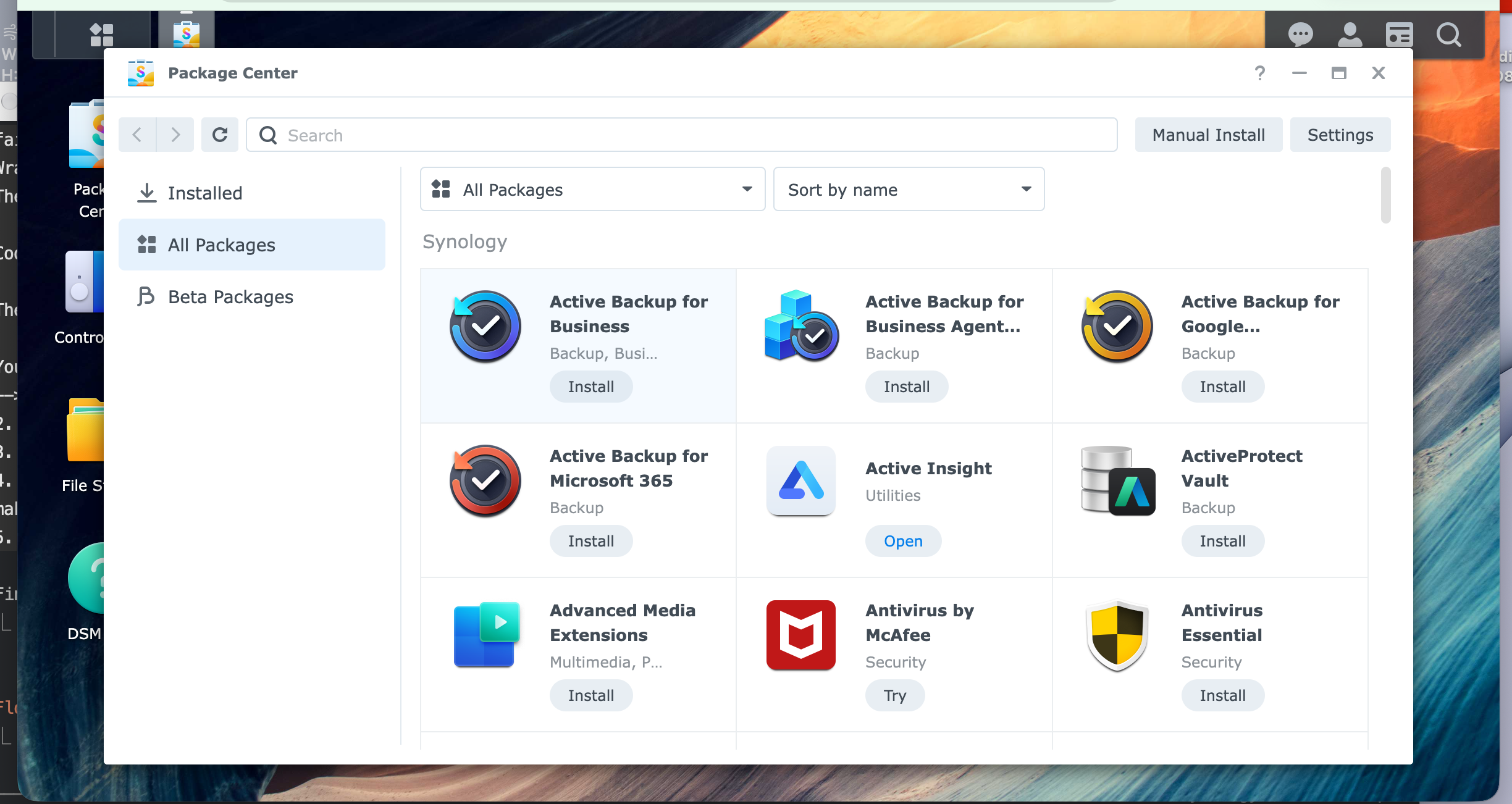
Not sure which file? Intel/AMD for “+” models (DS920+, DS923+). ARM64 for value models (DS223, DS124).
Optional: full networking
- Open Control Panel → Task Scheduler → Create → Triggered Task → User-defined script.
- Set User to
rootand Event to Boot-up. - Enter this script:
/var/packages/MeshvirtNetworking/target/bin/meshvirt configure-host; synosystemctl restart pkgctl-MeshvirtNetworking.service - Save and enable the task.
After a restart the NAS reconnects by itself; no need to sign in again.
Linux
sudo apt install ./meshvirt-connect_amd64.deb     # or: sudo dnf install ./meshvirt-connect.x86_64.rpm
sudo meshvirt up
Open the link it prints to sign in. The connection stays up across reboots.
macOS
Coming soon.
Windows
Coming soon.
Signing in
- Sign in at
auth.meshvirt.iowith your Meshvirt passkey. - Return to the device. It shows Connected and appears on Meshvirt Networking.